HP Ink Cartridge Compatibility Chart UK: Find Your Ink
Buying ink for an HP printer should be simple, but the number of cartridges available can make it surprisingly confusing.
Two HP printers may look almost identical while using completely different cartridges. A printer sold in the UK may also use a different cartridge number from a similar model sold in the United States. For example, HP 903 cartridges are widely used in UK and European printers, while similar US models may use HP 902 cartridges.
These regional cartridge families are not automatically interchangeable.
This HP ink cartridge compatibility chart for the UK will help you:
- Find the correct cartridge for your HP printer
- Understand standard and XL cartridge options
- Avoid confusing UK cartridges with US versions
- Identify cartridges used by popular HP DeskJet, ENVY, OfficeJet and OfficeJet Pro printers
- Check compatibility before buying original or compatible ink
- Understand HP+, Instant Ink and firmware considerations
Important: HP releases regional variations and occasionally updates printer ranges. Always confirm the cartridge number printed inside your printer, on the existing cartridge or on the official support page for your exact model before ordering.
Quick Answer: Which Ink Cartridge Does My HP Printer Use?
The safest way to find the correct HP ink cartridge is to check the cartridge number printed inside the printer’s cartridge-access area or on the cartridge already installed.
You can also search using the printer’s complete model number, such as:
- HP DeskJet 2720e
- HP ENVY 6020e
- HP OfficeJet Pro 8025e
- HP OfficeJet Pro 9010e
Do not rely only on the printer family name. Printers in the same DeskJet, ENVY or OfficeJet range can use different cartridge numbers.
Some of the most common UK HP cartridge families include:
- HP 301 and 301XL
- HP 302 and 302XL
- HP 303 and 303XL
- HP 304 and 304XL
- HP 305 and 305XL
- HP 308 and 308XL
- HP 62 and 62XL
- HP 364 and 364XL
- HP 903 and 903XL
- HP 912 and 912XL
- HP 924 and 924e
- HP 953 and 953XL
- HP 963 and 963XL
- HP 937 and 937e
The correct family depends on the exact printer model and the region in which it was originally sold.
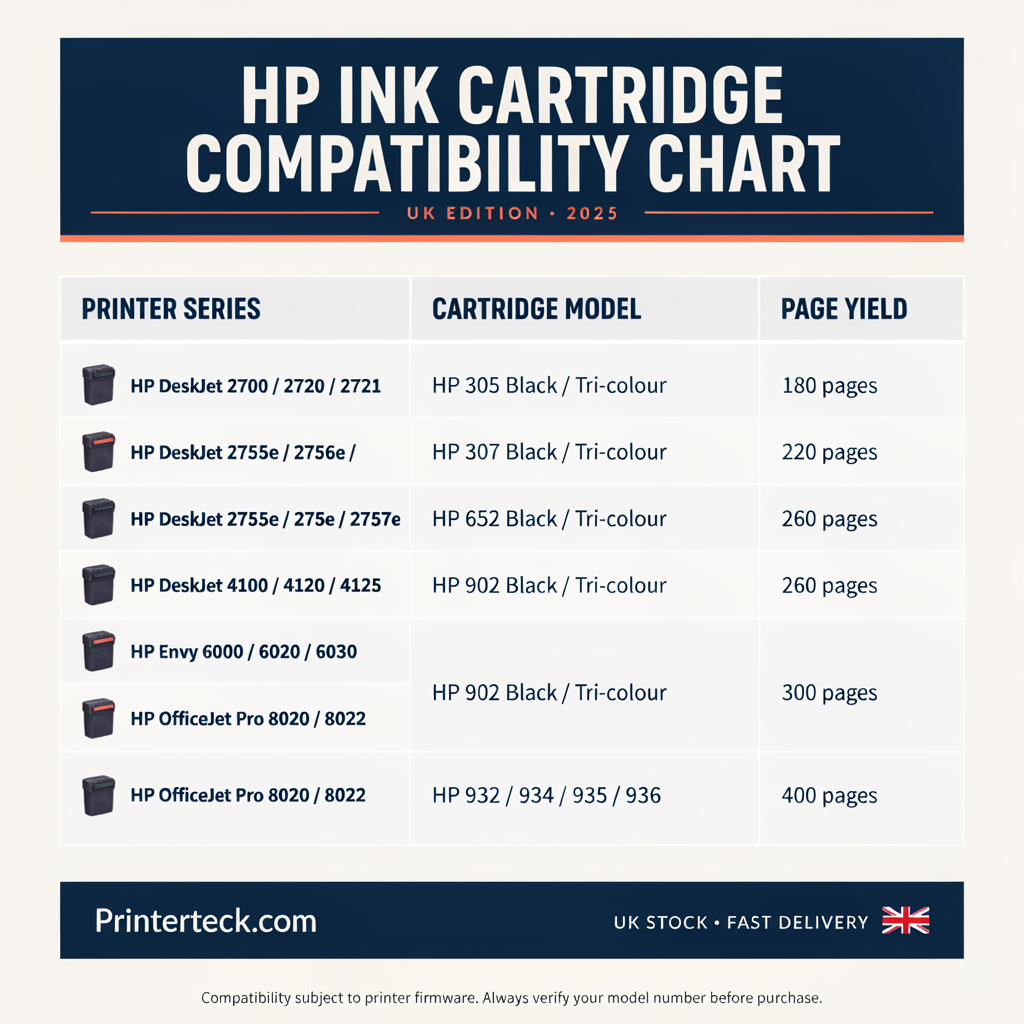
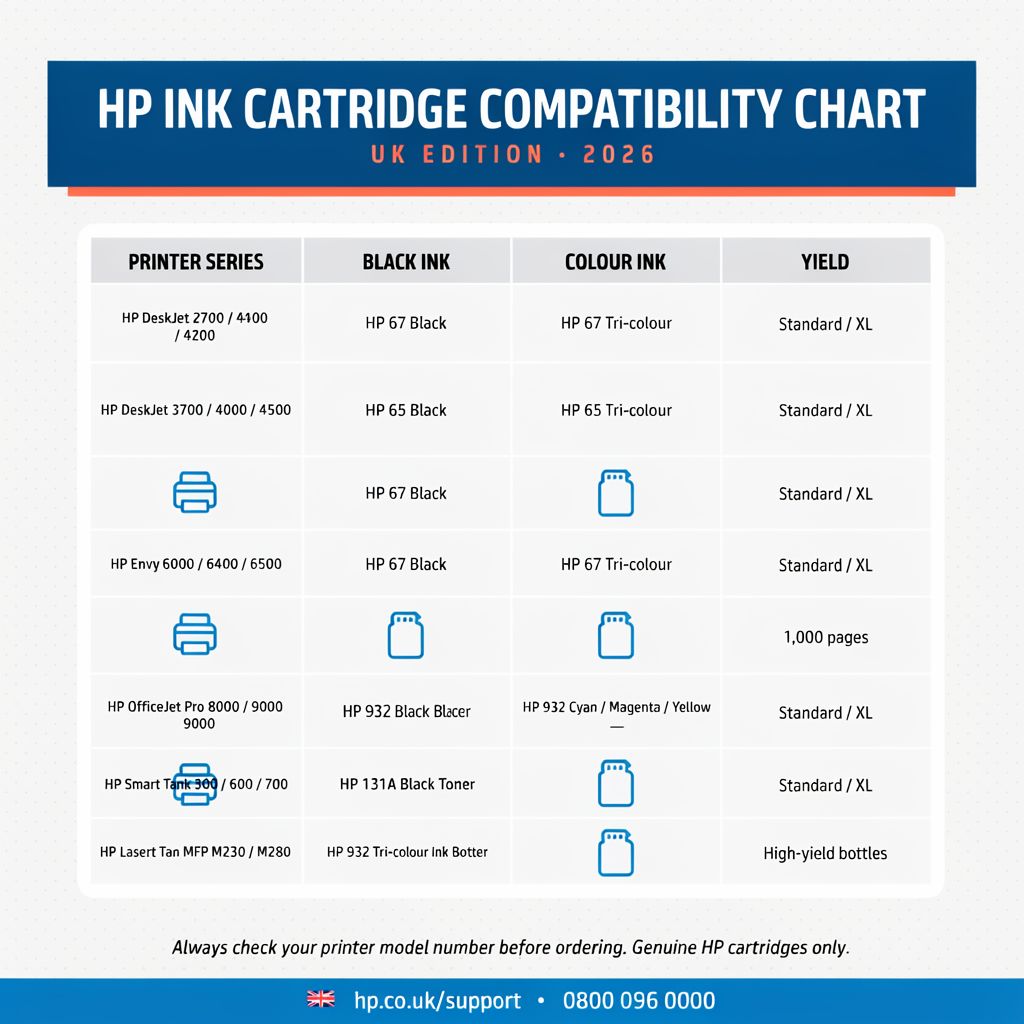
HP Ink Cartridge Compatibility Chart UK
The following chart covers popular HP inkjet printer and cartridge families found in UK homes and small businesses.
It is intended as a practical starting point rather than a replacement for checking the printer label or official specifications.
| UK HP cartridge family | Common printer ranges | Cartridge configuration | XL available? |
|---|---|---|---|
| HP 301 | Selected older DeskJet, ENVY and OfficeJet models | Black and Tri-colour | Yes |
| HP 302 | Selected DeskJet 1100/2100/3600, ENVY 4500 and OfficeJet 3800/4600 ranges | Black and Tri-colour | Yes |
| HP 303 | Selected ENVY Photo and HP Tango printers | Black and Tri-colour | Yes |
| HP 304 | Selected DeskJet 2600/3700 and ENVY 5000 ranges | Black and Tri-colour | Yes |
| HP 305 | Selected DeskJet 2700/4100 and ENVY 6000/6400 ranges | Black and Tri-colour | Yes |
| HP 308 | Selected newer DeskJet and ENVY printers | Black and Tri-colour | Yes, subject to availability |
| HP 62 | Selected ENVY 5500/5600/7600 and OfficeJet 5700 models | Black and Tri-colour | Yes |
| HP 364 | Selected older DeskJet, Photosmart and OfficeJet printers | Individual Black, Photo Black, Cyan, Magenta and Yellow, depending on model | Yes |
| HP 903 | Selected OfficeJet 6900 and OfficeJet Pro 6900 printers | Individual Black, Cyan, Magenta and Yellow | Yes |
| HP 912 | Selected OfficeJet 8000 series printers | Individual Black, Cyan, Magenta and Yellow | Yes |
| HP 924 | Selected newer OfficeJet Pro 8100 series printers | Individual Black, Cyan, Magenta and Yellow | Higher-capacity 924e versions |
| HP 953 | Selected OfficeJet Pro 7700, 8200 and 8700 ranges | Individual Black, Cyan, Magenta and Yellow | Yes |
| HP 963 | Selected OfficeJet Pro 9000 series printers | Individual Black, Cyan, Magenta and Yellow | Yes |
| HP 937 | Selected newer OfficeJet Pro 9100 series printers | Individual Black, Cyan, Magenta and Yellow | Higher-capacity 937e versions |
Because HP has released many similarly numbered printers, use the more detailed sections below to narrow down the correct cartridge.
HP 301 and 301XL Compatible Printers
HP 301 cartridges are commonly associated with older home printers sold in the UK and Europe.
They are normally available as:
- HP 301 Black
- HP 301 Tri-colour
- HP 301XL Black
- HP 301XL Tri-colour
Representative compatible ranges include selected models from:
- HP DeskJet 1000 series
- HP DeskJet 1050 series
- HP DeskJet 2000 series
- HP DeskJet 2050 series
- HP DeskJet 3000 series
- HP DeskJet 3050 series
- HP ENVY 4500 series
- HP OfficeJet 2600 series
- HP OfficeJet 4600 series
Examples commonly associated with HP 301 include:
- HP DeskJet 1000
- HP DeskJet 1050
- HP DeskJet 1050A
- HP DeskJet 2050
- HP DeskJet 2050A
- HP DeskJet 2510
- HP DeskJet 2540
- HP DeskJet 2542
- HP DeskJet 2544
- HP DeskJet 3000
- HP DeskJet 3050
- HP DeskJet 3050A
- HP ENVY 4500
- HP ENVY 4502
- HP ENVY 4504
- HP ENVY 5530
- HP OfficeJet 2620
- HP OfficeJet 4630
This is not an exhaustive model list. Verify the number on the installed cartridge before purchasing.
Is HP 301 the Same as HP 61?
No. HP 301 is commonly used by selected UK and European printers, while HP 61 is associated with certain printers sold in other regions, including North America.
Even when the printer models look similar, HP 301 and HP 61 should not be treated as interchangeable.
HP 302 and 302XL Compatible Printers
HP 302 cartridges are used by various DeskJet, ENVY and OfficeJet printers sold in the UK.
The family normally includes:
- HP 302 Black
- HP 302 Tri-colour
- HP 302XL Black
- HP 302XL Tri-colour
Representative printers include selected models from:
- HP DeskJet 1100 series
- HP DeskJet 2100 series
- HP DeskJet 3600 series
- HP ENVY 4500 series
- HP OfficeJet 3800 series
- HP OfficeJet 4600 series
Examples include:
- HP DeskJet 1110
- HP DeskJet 1112
- HP DeskJet 2130
- HP DeskJet 2132
- HP DeskJet 2134
- HP DeskJet 3630
- HP DeskJet 3632
- HP DeskJet 3634
- HP DeskJet 3636
- HP DeskJet 3638
- HP ENVY 4520
- HP ENVY 4522
- HP ENVY 4524
- HP ENVY 4527
- HP OfficeJet 3830
- HP OfficeJet 3831
- HP OfficeJet 3833
- HP OfficeJet 3835
- HP OfficeJet 4650
- HP OfficeJet 4652
- HP OfficeJet 4655
Is HP 302 the Same as HP 63?
No. HP 302 and HP 63 are regional cartridge families. HP 302 is commonly found in UK and European printers, while HP 63 is widely associated with North American models.
Do not buy HP 63 for a UK printer that specifies HP 302.
HP 303 and 303XL Compatible Printers
HP 303 cartridges are commonly used in selected premium home and photo printers.
Available options normally include:
- HP 303 Black
- HP 303 Tri-colour
- HP 303XL Black
- HP 303XL Tri-colour
Representative printer ranges include:
- HP ENVY Photo 6200 series
- HP ENVY Photo 7100 series
- HP ENVY Photo 7800 series
- HP Tango
- HP Tango X
Examples include:
- HP ENVY Photo 6230
- HP ENVY Photo 6234
- HP ENVY Photo 7130
- HP ENVY Photo 7134
- HP ENVY Photo 7830
- HP Tango
- HP Tango X
Is HP 303 the Same as HP 64?
No. HP 303 and HP 64 may be associated with similar-looking printers in different sales regions, but they should not be considered interchangeable.
UK owners should use the number specified by their printer.
HP 304 and 304XL Compatible Printers
HP 304 is one of the familiar cartridge families used by compact UK home printers.
The range normally includes:
- HP 304 Black
- HP 304 Tri-colour
- HP 304XL Black
- HP 304XL Tri-colour
Representative printer ranges include:
- HP DeskJet 2600 series
- HP DeskJet 3700 series
- HP ENVY 5000 series
Common examples include:
- HP DeskJet 2620
- HP DeskJet 2622
- HP DeskJet 2630
- HP DeskJet 2632
- HP DeskJet 2633
- HP DeskJet 2634
- HP DeskJet 3720
- HP DeskJet 3722
- HP DeskJet 3730
- HP DeskJet 3732
- HP DeskJet 3733
- HP DeskJet 3735
- HP DeskJet 3760
- HP DeskJet 3762
- HP ENVY 5010
- HP ENVY 5020
- HP ENVY 5030
- HP ENVY 5032
- HP ENVY 5050
Is HP 304 the Same as HP 65?
No. HP 304 is commonly supplied for UK and European models, while HP 65 is used by certain printers intended for other markets.
Matching the physical shape is not enough to confirm compatibility.
HP 305 and 305XL Compatible Printers
HP 305 cartridges are widely used in later-generation home printers sold in the UK.
The family commonly includes:
- HP 305 Black
- HP 305 Tri-colour
- HP 305XL Black
- HP 305XL Tri-colour
Representative compatible ranges include:
- HP DeskJet 2700 series
- HP DeskJet Plus 4100 series
- HP ENVY 6000 series
- HP ENVY Pro 6400 series
Examples include:
- HP DeskJet 2710
- HP DeskJet 2710e
- HP DeskJet 2720
- HP DeskJet 2720e
- HP DeskJet 2721
- HP DeskJet 2722
- HP DeskJet 2723
- HP DeskJet 2724
- HP DeskJet 4110e
- HP DeskJet 4120e
- HP DeskJet 4122e
- HP DeskJet 4130e
- HP ENVY 6010
- HP ENVY 6010e
- HP ENVY 6020
- HP ENVY 6020e
- HP ENVY 6030
- HP ENVY 6032
- HP ENVY Pro 6420
- HP ENVY Pro 6420e
- HP ENVY Pro 6430
- HP ENVY Pro 6432
Is HP 305 the Same as HP 67?
No. HP 305 and HP 67 are regional cartridge families. HP 305 is commonly found in UK and European home printers, while HP 67 is associated with similar models in markets such as North America.
They are not direct substitutes.
HP 308 and 308XL Compatible Printers
HP 308 is a newer cartridge family used by selected current-generation HP home printers in the UK.
Depending on the model and current availability, the range may include:
- HP 308 Black
- HP 308 Tri-colour
- HP 308XL Black
- HP 308XL Tri-colour
It is associated with selected newer printers from ranges such as:
- HP DeskJet 2800e series
- HP DeskJet 4200e series
- HP ENVY 6100e series
Because these newer ranges are still developing, check the complete model number carefully. Do not assume that a new DeskJet automatically uses HP 308; some models continue to use HP 305 or another cartridge family.
HP 62 and 62XL Compatible Printers
HP 62 cartridges are used in selected ENVY and OfficeJet printers.
The family normally includes:
- HP 62 Black
- HP 62 Tri-colour
- HP 62XL Black
- HP 62XL Tri-colour
Representative models include selected printers from:
- HP ENVY 5540 series
- HP ENVY 5640 series
- HP ENVY 7640 series
- HP OfficeJet 5740 series
Examples may include:
- HP ENVY 5540
- HP ENVY 5542
- HP ENVY 5544
- HP ENVY 5640
- HP ENVY 5642
- HP ENVY 5644
- HP ENVY 7640
- HP OfficeJet 5740
- HP OfficeJet 5742
- HP OfficeJet 5744
Although HP 62 is available across more than one market, this does not mean every printer with a similar name uses it. Check the full model and regional specifications.
HP 364 and 364XL Compatible Printers
Unlike the two-cartridge systems above, HP 364 printers generally use individual colour cartridges.
The family can include:
- HP 364 Black
- HP 364 Photo Black
- HP 364 Cyan
- HP 364 Magenta
- HP 364 Yellow
- HP 364XL Black
- HP 364XL Photo Black
- HP 364XL Cyan
- HP 364XL Magenta
- HP 364XL Yellow
Not every compatible printer uses Photo Black. Some use four cartridges, while selected photo models use five.
Representative ranges include selected:
- HP DeskJet 3000-series printers
- HP Photosmart printers
- HP Photosmart Plus printers
- HP Photosmart Premium printers
- HP OfficeJet printers
Common examples include:
- HP DeskJet 3070A
- HP DeskJet 3520
- HP DeskJet 3522
- HP DeskJet 3524
- HP Photosmart 5510
- HP Photosmart 5515
- HP Photosmart 5520
- HP Photosmart 6510
- HP Photosmart 6520
- HP Photosmart 7510
- HP Photosmart 7520
- HP Photosmart B010
- HP Photosmart B109
- HP Photosmart B110
- HP Photosmart Plus B209
- HP Photosmart Plus B210
- HP Photosmart Premium C309
- HP Photosmart Premium C310
- HP Photosmart Premium C410
- HP OfficeJet 4620
Does Every HP 364 Printer Need Photo Black?
No. Some HP 364 printers use four cartridges—Black, Cyan, Magenta and Yellow—while selected photo printers use an additional Photo Black cartridge.
Check how many cartridge positions are present inside the printer before ordering a multipack.
HP 903 and 903XL Compatible Printers
HP 903 is a four-colour cartridge system used in selected UK OfficeJet printers.
The family normally includes:
- HP 903 Black
- HP 903 Cyan
- HP 903 Magenta
- HP 903 Yellow
- HP 903XL Black
- HP 903XL Cyan
- HP 903XL Magenta
- HP 903XL Yellow
Representative compatible models include:
- HP OfficeJet 6950
- HP OfficeJet 6954
- HP OfficeJet 6958
- HP OfficeJet Pro 6960
- HP OfficeJet Pro 6962
- HP OfficeJet Pro 6968
- HP OfficeJet Pro 6970
- HP OfficeJet Pro 6975
- HP OfficeJet Pro 6978
Is HP 903 the Same as HP 902?
No. HP 903 is commonly used in UK and European printers, while HP 902 is used by selected printers in other markets.
The cartridges should not be treated as interchangeable, even when similar model ranges appear in overseas search results.
HP 912 and 912XL Compatible Printers
HP 912 cartridges are used by selected OfficeJet printers intended for home-office and small-business use.
The family normally includes:
- HP 912 Black
- HP 912 Cyan
- HP 912 Magenta
- HP 912 Yellow
- HP 912XL Black
- HP 912XL Cyan
- HP 912XL Magenta
- HP 912XL Yellow
Representative compatible printers include selected models such as:
- HP OfficeJet 8010
- HP OfficeJet 8012
- HP OfficeJet 8014
- HP OfficeJet 8015
- HP OfficeJet 8017
- HP OfficeJet Pro 8020
- HP OfficeJet Pro 8022
- HP OfficeJet Pro 8023
- HP OfficeJet Pro 8024
- HP OfficeJet Pro 8025
Some “e” versions within these ranges may also use the same family, but the complete printer number should always be checked.
Is HP 912 the Same as HP 910?
No. HP 912 and HP 910 are associated with different regional versions. A UK HP OfficeJet that specifies HP 912 should not be fitted with HP 910 cartridges based on an American compatibility list.
HP 924 and 924e Compatible Printers
HP 924 is a newer four-colour cartridge range associated with selected HP OfficeJet Pro printers available in the UK.
The family includes separate:
- Black
- Cyan
- Magenta
- Yellow
Higher-capacity HP 924e versions may also be available.
The family is associated with selected newer OfficeJet Pro 8100-series models. Because model suffixes and regional availability vary, verify the supplies listed for your exact printer before purchase.
HP’s UK store currently lists HP 924 multipacks among its available original ink supplies.
HP 953 and 953XL Compatible Printers
HP 953 cartridges are used in various UK OfficeJet Pro printers.
The family normally includes:
- HP 953 Black
- HP 953 Cyan
- HP 953 Magenta
- HP 953 Yellow
- HP 953XL Black
- HP 953XL Cyan
- HP 953XL Magenta
- HP 953XL Yellow
Representative compatible models include:
- HP OfficeJet Pro 7720
- HP OfficeJet Pro 7730
- HP OfficeJet Pro 7740
- HP OfficeJet Pro 8210
- HP OfficeJet Pro 8216
- HP OfficeJet Pro 8218
- HP OfficeJet Pro 8710
- HP OfficeJet Pro 8715
- HP OfficeJet Pro 8718
- HP OfficeJet Pro 8720
- HP OfficeJet Pro 8725
- HP OfficeJet Pro 8730
- HP OfficeJet Pro 8740
- HP OfficeJet Pro 8745
Is HP 953 the Same as HP 952?
No. HP 953 is the cartridge family normally associated with relevant UK and European printer versions, while HP 952 is used in selected other regions.
Do not order HP 952 for a UK printer that specifies HP 953.
If compatible cartridges stopped working after a printer update, see our guide to HP 953XL and 903XL firmware and cartridge errors.
HP 963 and 963XL Compatible Printers
HP 963 is used by selected newer OfficeJet Pro printers.
The family normally includes:
- HP 963 Black
- HP 963 Cyan
- HP 963 Magenta
- HP 963 Yellow
- HP 963XL Black
- HP 963XL Cyan
- HP 963XL Magenta
- HP 963XL Yellow
Representative printers include selected models from:
- HP OfficeJet Pro 9010 series
- HP OfficeJet Pro 9012 series
- HP OfficeJet Pro 9014 series
- HP OfficeJet Pro 9015 series
- HP OfficeJet Pro 9016 series
- HP OfficeJet Pro 9019 series
- HP OfficeJet Pro 9020 series
- HP OfficeJet Pro 9022 series
- HP OfficeJet Pro 9025 series
Exact compatibility depends on the full model and regional suffix.
Is HP 963 the Same as HP 962?
No. HP 963 is commonly associated with UK and European versions, while HP 962 appears in other regional markets.
They are not direct substitutes.
HP 937 and 937e Compatible Printers
HP 937 is a newer business-ink cartridge family sold through the HP UK store.
The range includes individual:
- HP 937 Black
- HP 937 Cyan
- HP 937 Magenta
- HP 937 Yellow
Higher-capacity HP 937e options may be available for heavier printing.
This family is associated with selected newer HP OfficeJet Pro 9100-series printers.
Because the model names can look similar to printers using HP 936 in another region, confirm the supply number shown by the UK printer’s specifications.
Is HP 937 the Same as HP 936?
No. They are regional cartridge families and should not be assumed to work interchangeably. An overseas page showing HP 936 does not override the cartridge number specified for a UK printer.
UK and US HP Cartridge Numbers Compared
One of the biggest causes of incorrect ink purchases is using an American article, video or marketplace listing to identify cartridges for a UK printer.
The following table shows commonly encountered regional counterparts.
| Common UK/European cartridge | Number often seen for similar overseas models | Interchangeable? |
|---|---|---|
| HP 301 | HP 61 | No |
| HP 302 | HP 63 | No |
| HP 303 | HP 64 | No |
| HP 304 | HP 65 | No |
| HP 305 | HP 67 | No |
| HP 903 | HP 902 | No |
| HP 912 | HP 910 | No |
| HP 953 | HP 952 | No |
| HP 963 | HP 962 | No |
| HP 937 | HP 936 | No |
These pairings do not mean that every printer sold in one region has an exact equivalent elsewhere. They simply explain why a search for a similar printer can produce a different cartridge number.
Never choose a cartridge solely because it looks physically identical to the one already installed.
How to Find Your Exact HP Printer Model
The full printer model is normally printed:
- On the front of the printer
- On a label at the rear
- Underneath the printer
- Inside the cartridge-access door
- On a configuration or status page
- In the HP app
- In Windows Printers & scanners
- In macOS Printers & Scanners
Record the complete name, including numbers and letters.
For example, these are not necessarily the same printer:
- HP DeskJet 2720
- HP DeskJet 2720e
- HP DeskJet 2722
- HP DeskJet 2820e
A small change in the model number can indicate a different generation, retailer variation or cartridge family.
Five Ways to Check HP Ink Compatibility
1. Check the Existing Cartridge
Remove the cartridge and read the number on its label. This is usually the fastest method when the installed cartridge is known to be correct.
Do not rely on a handwritten note or outer packaging from another set.
2. Check Inside the Cartridge Door
Many HP printers display the required cartridge numbers on a label inside the access area.
The label may show both standard and high-capacity options.
3. Use the Printer’s Full Model Number
Search for the full model followed by “ink cartridges UK”.
For example:
HP DeskJet 2720e ink cartridges UK
Be careful with marketplace listings containing long compatibility lists. Confirm the result against HP’s own printer specifications.
4. Check the HP App
Depending on the printer, the HP app may display:
- Installed supplies
- Ink levels
- Cartridge numbers
- Ordering information
- Instant Ink status
5. Use HP’s Official UK Supplies Finder
HP’s UK supplies section allows customers to search for ink by printer or cartridge family. Availability can change, so use it to confirm the current original cartridge specified for the printer.
Standard, XL and “e” Cartridges Explained
Standard HP Cartridges
Standard-capacity cartridges usually cost less initially but contain enough ink for a lower estimated number of pages.
They may suit households that:
- Print only occasionally
- Need the lowest immediate purchase cost
- Produce relatively few pages
- Do not want to store cartridges for long periods
HP XL Cartridges
An XL cartridge is a higher-capacity version of the same compatible cartridge family.
For example:
- HP 305XL is a higher-capacity alternative to HP 305.
- HP 903XL is a higher-capacity alternative to HP 903.
- HP 953XL is a higher-capacity alternative to HP 953.
XL refers to ink capacity, not the cartridge’s suitability for a different printer.
A printer compatible with the standard version will generally accept the corresponding XL version, but you should still confirm this for the exact model.
HP “e” High-Capacity Cartridges
Some newer business cartridge ranges use an “e” designation for higher-capacity supplies, such as HP 924e or HP 937e.
Do not confuse the cartridge’s “e” suffix with the “e” used in printer names such as HP ENVY 6020e or OfficeJet Pro 9010e. They describe different things.
Black and Tri-Colour Versus Individual Cartridges
HP home printers commonly use one of two ink systems.
Two-Cartridge System
This uses:
- One Black cartridge
- One Tri-colour cartridge containing Cyan, Magenta and Yellow
Examples include many printers using HP 301, 302, 303, 304 and 305.
The disadvantage is that when one colour within the tri-colour cartridge runs out, the complete colour cartridge may need replacing.
Individual-Cartridge System
This normally uses separate:
- Black
- Cyan
- Magenta
- Yellow
Some photo printers add Photo Black.
This system is used by families such as HP 364, 903, 912, 924, 953, 963 and 937.
Individual cartridges allow users to replace only the colour that has run out.
Can You Mix Standard and XL HP Cartridges?
In many HP printers, standard and XL cartridges from the same family can be used together.
For example, a printer may accept:
- HP 903XL Black
- HP 903 Cyan
- HP 903 Magenta
- HP 903 Yellow
The key requirement is that every cartridge belongs to the correct family and is fitted in the correct colour position.
Do not mix regional families such as HP 903 and HP 902.
Can You Use Only a Black Cartridge in an HP Printer?
It depends on the printer.
Some two-cartridge HP printers may offer a single-cartridge or reserve mode that allows limited printing with only one cartridge installed. Other printers require both Black and Tri-colour cartridges to be present.
Many individual-cartridge printers require all four cartridges to be installed and recognised, even when printing a black-only document.
Selecting “Black and White” or “Greyscale” in the print settings does not guarantee that the printer will never use colour ink. Some printers use small quantities of colour during maintenance or to produce composite black.
What Is HP Instant Ink?
HP Instant Ink is a subscription service in which eligible printers report their ink status and replacement cartridges are supplied according to the selected plan.
The service is generally based on pages printed rather than the number of cartridges used.
Important points include:
- Instant Ink cartridges are linked to the subscription.
- They may stop functioning after the subscription ends.
- They should not be sold or transferred as ordinary retail cartridges.
- A printer must be eligible for the service.
- Internet connectivity may be required.
- Pages included and subscription terms can change.
Instant Ink eligibility does not change the retail cartridge family used by the printer, but subscription cartridges are managed differently.
Does HP+ Affect Cartridge Compatibility?
HP+ is available on selected printers and may include additional connected features and service conditions.
Before buying or activating an HP+ printer, review:
- Cartridge requirements
- Account requirements
- Internet-connection requirements
- Instant Ink offers
- Firmware and security conditions
The “e” at the end of a printer model frequently identifies a connected or HP+-capable version, but owners should check the exact product details rather than relying on the suffix alone.
Original, Remanufactured and Compatible HP Ink
Original HP Cartridges
Original cartridges are manufactured and sold under the HP brand for the specified printer family.
Remanufactured Cartridges
A remanufactured cartridge is an original cartridge body that has been professionally cleaned, inspected, refilled and prepared for reuse.
Quality can vary between suppliers.
Compatible Cartridges
A compatible cartridge is produced by a third-party manufacturer for use in a particular printer family.
When buying compatible cartridges, check:
- Exact printer model
- Correct UK cartridge number
- Chip compatibility
- Supplier warranty
- Firmware-related guidance
- Manufacturing date or shelf life
- Replacement and refund policy
For a wider comparison, read our guide to compatible versus original printer ink.
Why Does an HP Printer Reject the Correct Cartridge?
A correct cartridge number can still produce an error because of:
- Protective tape not removed
- Cartridge not fully seated
- Dirty electrical contact
- Damaged chip or electronic circuitry
- Faulty cartridge
- Cartridge intended for another region
- Instant Ink enrolment
- Printer firmware
- Damaged carriage contacts
- Empty or previously used setup cartridge
Common messages include:
- Incompatible Cartridge
- Cartridge Problem
- Missing or Damaged Cartridge
- Cartridge Not Recognised
- Cartridges Blocked
- Supply System Problem
- Remove and Reinstall Cartridge
Before assuming that firmware is responsible:
- Confirm the cartridge number.
- Check the regional version.
- Remove all protective material.
- Inspect the contact.
- Reinstall the cartridge.
- Restart the printer.
- Test another suitable cartridge if available.
Follow our detailed guide if your printer is not recognising an ink cartridge.
Does Printer Firmware Affect Compatible Ink?
It can.
Some HP printers use electronic communication to validate cartridges. A firmware update may change how this communication is handled, which can affect certain third-party cartridges.
However, not every cartridge error is caused by an update. A damaged chip, incorrect cartridge, dirty contact or regional mismatch can produce a similar message.
Never install unofficial or model-mismatched firmware in an attempt to restore cartridge compatibility. Incorrect firmware can prevent the printer from starting.
Common HP Ink Compatibility Mistakes
Avoid these frequent purchasing errors:
- Searching by printer appearance instead of model number
- Using a US compatibility chart for a UK printer
- Assuming HP 902 and HP 903 are interchangeable
- Buying only by cartridge shape
- Confusing a printer model number with a cartridge number
- Missing the final digit or “e” in a printer name
- Assuming every printer in the same series uses identical ink
- Buying a five-colour HP 364 pack for a four-cartridge printer
- Treating Instant Ink cartridges as normal retail cartridges
- Buying expired or damaged cartridges from an unknown seller
- Mixing cartridges intended for different regional versions
- Assuming XL means a different physical printer fit
Frequently Asked Questions
How do I know which HP ink cartridge I need?
Check the label inside the printer’s cartridge-access door or read the number on the cartridge already installed. You can also search HP’s UK supplies section using the complete printer model. Confirm the regional cartridge number before ordering.
Are HP ink cartridges compatible with every HP printer?
No. Each cartridge family is designed for particular printer ranges. An HP 305 cartridge, for example, will not work in a printer designed for HP 304 simply because both are HP products.
Are UK and US HP cartridges the same?
Not always. Similar printers can use different regional cartridge numbers. Common examples include UK HP 903 versus US HP 902 and UK HP 953 versus US HP 952. They should not be treated as interchangeable.
Can I use an XL cartridge instead of a standard HP cartridge?
Usually, yes, when both have the same base cartridge number and the printer officially supports the XL version. HP 305XL, for example, is the higher-capacity version of HP 305. Always check the exact printer specifications.
Does an HP XL cartridge physically fit the same printer?
The corresponding standard and XL versions are designed for the same compatible printer family. XL describes the higher ink capacity rather than a completely different printer range.
Can I mix standard and XL cartridges?
Many HP printers allow standard and XL cartridges from the same family to be used together. You might use an XL Black with standard colour cartridges. Do not mix different regional or numbered families.
Are HP 301 and HP 302 interchangeable?
No. They are separate cartridge families used by different printer models. The cartridges may look similar, but a printer designed for HP 301 should not be fitted with HP 302.
Are HP 304 and HP 305 the same?
No. HP 304 and HP 305 support different printer generations. Check the label inside the access door before purchasing.
Are HP 903 and HP 953 cartridges interchangeable?
No. HP 903 and HP 953 are different cartridge families used in different OfficeJet printer ranges. Each printer must use the number specified for it.
What happens if I install the wrong HP cartridge?
The printer will normally display an incompatible, missing or unrecognised cartridge message. Do not force the cartridge into place. Remove it and check the number and regional compatibility.
Why does a cartridge compatibility list show my printer under a different number?
You may be viewing information for another country. HP sometimes sells similar printer platforms with different cartridge families in the UK, Europe and North America.
Can I use a compatible cartridge in an HP+ printer?
This depends on the printer, its activation conditions, electronic circuitry requirements and current firmware. Review the conditions attached to the exact HP+ model and ask the cartridge supplier to confirm compatibility.
Do Instant Ink cartridges work after cancelling the subscription?
Instant Ink cartridges are linked to the subscription and may stop working when the service ends. You will normally need to install suitable retail cartridges for continued printing.
Why does my HP printer say the cartridge is incompatible when the number is correct?
Possible causes include a regional mismatch, dirty contact, damaged chip, incomplete installation, Instant Ink restrictions or a firmware-related recognition issue. Record the complete error before troubleshooting.
Does a five-pack of HP 364 work in every HP 364 printer?
Not necessarily. Some HP 364 printers use four cartridges, while certain photo printers use a fifth Photo Black cartridge. Check the number of cartridge positions in your printer.
Where can I check official HP compatibility?
Use the printer’s official product specifications or HP’s UK ink and supplies finder. Search using the complete printer model, including any letters or suffixes.
Final Compatibility Checklist
Before ordering an HP ink cartridge, confirm all of the following:
- The full printer model
- The cartridge family number
- The UK or European regional version
- Black and Tri-colour or individual cartridges
- Standard, XL or higher-capacity option
- Whether Photo Black is required
- Whether the printer is enrolled in Instant Ink
- Any HP+ requirements
- The supplier’s compatibility guarantee
- The returns procedure if the cartridge is not recognised
Spending a minute checking these details can prevent ordering the wrong ink and reduce the risk of cartridge-recognition problems.
If you remain unsure, use the cartridge number printed inside the printer as your primary guide and confirm it against the official specifications for the exact UK model.