Epson Ink Cartridge Compatibility Chart UK: Find Your Ink
Choosing ink for an Epson printer can be confusing. Epson uses cartridge numbers such as 18, 29, 603 and 604, alongside memorable packaging images including Daisy, Strawberry, Starfish and Pineapple.
These images make cartridges easier to recognise in shops, but they can also cause misunderstandings. Epson 603 Starfish and Epson 604 Pineapple cartridges, for example, may look similar, but they support different printer generations and are not interchangeable.
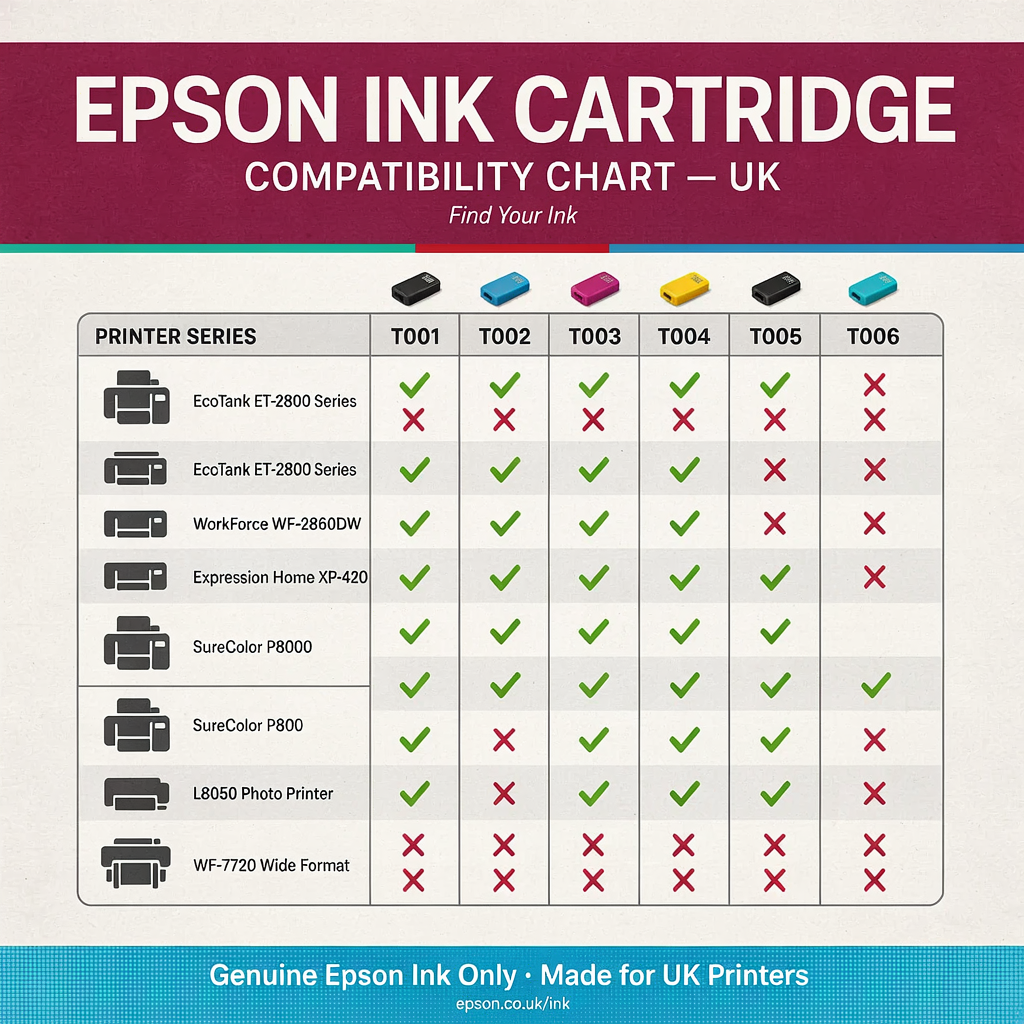
Epson Ink Cartridge Compatibility Chart UK
This Epson ink cartridge compatibility chart for UK printers will help you:
- Find the correct cartridge for your Epson printer
- Match Epson cartridge numbers with packaging names
- Identify compatible Expression Home and WorkForce models
- Understand standard and XL cartridges
- Avoid buying cartridges from the wrong family
- Check compatibility before buying original or compatible ink
- Troubleshoot cartridge-recognition errors
Important: Always confirm compatibility using your printer’s complete model number. According to Epson, each printer works with a specific ink series, and similar-looking cartridges may use different chip technology or ink formulations. You can check current models through the official Epson UK Ink Finder.
Quick Answer: Which Epson Ink Cartridge Do I Need?
The safest ways to find the correct Epson ink cartridge are:
- Read the number on your existing cartridge.
- Check the label inside the cartridge-access area.
- Find the complete printer model printed on the front or rear.
- Search Epson’s official UK Ink Finder.
- Check the printer’s user manual or specifications.
Do not rely on the printer’s appearance alone. For example:
- Epson Expression Home XP-2155 uses Epson 603
- Epson Expression Home XP-2205 uses Epson 604
- Epson Expression Home XP-225 uses Epson 18
- Epson Expression Home XP-235 uses Epson 29
These printers have similar names, but they require different cartridge families.
Epson Ink Cartridge Names and Numbers
Epson uses an image on many UK cartridge packs to help customers recognise the correct family.
| Epson cartridge | Packaging image or family name | Typical printer range | XL available? |
|---|---|---|---|
| Epson 18/18XL | Daisy | Older Expression Home XP printers | Yes |
| Epson 29/29XL | Strawberry | Expression Home XP printers | Yes |
| Epson 603/603XL | Starfish | Expression Home XP printers | Yes |
| Epson 604/604XL | Pineapple | Newer Expression Home and WorkForce printers | Yes |
| Epson 405/405XL | Suitcase | WorkForce and WorkForce Pro printers | Yes |
| Epson 16/16XL | Pen and Crossword | Selected older WorkForce printers | Yes |
| Epson 26/26XL | Polar Bear | Selected Expression Premium printers | Yes |
| Epson 33/33XL | Orange | Selected Expression Premium printers | Yes |
| Epson 34/34XL | Golf Ball | Selected WorkForce Pro printers | Yes |
| Epson 35/35XL | Padlock | Selected WorkForce Pro printers | Yes |
| Epson 502/502XL | Binoculars | Selected WorkForce printers | Yes |
| Epson 503/503XL | Chillies | Selected newer WorkForce printers | Yes |
The picture is only a visual identifier. Compatibility is determined by the cartridge number, regional specification and electronic chip.
Epson Cartridge Compatibility Chart UK
The following chart covers the main Epson cartridge families targeted in this guide.
| Epson printer model | Compatible ink family | Packaging image | Standard/XL |
|---|---|---|---|
| Expression Home XP-30 | Epson 18/18XL | Daisy | Both |
| Expression Home XP-102 | Epson 18/18XL | Daisy | Both |
| Expression Home XP-202 | Epson 18/18XL | Daisy | Both |
| Expression Home XP-205 | Epson 18/18XL | Daisy | Both |
| Expression Home XP-212 | Epson 18/18XL | Daisy | Both |
| Expression Home XP-215 | Epson 18/18XL | Daisy | Both |
| Expression Home XP-225 | Epson 18/18XL | Daisy | Both |
| Expression Home XP-305 | Epson 18/18XL | Daisy | Both |
| Expression Home XP-405 | Epson 18/18XL | Daisy | Both |
| Expression Home XP-405WH | Epson 18/18XL | Daisy | Both |
| Expression Home XP-235 | Epson 29/29XL | Strawberry | Both |
| Expression Home XP-245 | Epson 29/29XL | Strawberry | Both |
| Expression Home XP-247 | Epson 29/29XL | Strawberry | Both |
| Expression Home XP-255 | Epson 29/29XL | Strawberry | Both |
| Expression Home XP-257 | Epson 29/29XL | Strawberry | Both |
| Expression Home XP-332 | Epson 29/29XL | Strawberry | Both |
| Expression Home XP-335 | Epson 29/29XL | Strawberry | Both |
| Expression Home XP-342 | Epson 29/29XL | Strawberry | Both |
| Expression Home XP-345 | Epson 29/29XL | Strawberry | Both |
| Expression Home XP-352 | Epson 29/29XL | Strawberry | Both |
| Expression Home XP-355 | Epson 29/29XL | Strawberry | Both |
| Expression Home XP-432 | Epson 29/29XL | Strawberry | Both |
| Expression Home XP-435 | Epson 29/29XL | Strawberry | Both |
| Expression Home XP-442 | Epson 29/29XL | Strawberry | Both |
| Expression Home XP-445 | Epson 29/29XL | Strawberry | Both |
| Expression Home XP-452 | Epson 29/29XL | Strawberry | Both |
| Expression Home XP-455 | Epson 29/29XL | Strawberry | Both |
| Expression Home XP-2100 | Epson 603/603XL | Starfish | Both |
| Expression Home XP-2105 | Epson 603/603XL | Starfish | Both |
| Expression XP-2150 | Epson 603/603XL | Starfish | Both |
| Expression XP-2155 | Epson 603/603XL | Starfish | Both |
| Expression Home XP-3100 | Epson 603/603XL | Starfish | Both |
| Expression Home XP-3105 | Epson 603/603XL | Starfish | Both |
| Expression Home XP-3150 | Epson 603/603XL | Starfish | Both |
| Expression Home XP-3155 | Epson 603/603XL | Starfish | Both |
| Expression Home XP-4100 | Epson 603/603XL | Starfish | Both |
| Expression Home XP-4105 | Epson 603/603XL | Starfish | Both |
| Expression Home XP-4150 | Epson 603/603XL | Starfish | Both |
| Expression Home XP-2200 | Epson 604/604XL | Pineapple | Both |
| Expression Home XP-2205 | Epson 604/604XL | Pineapple | Both |
| Expression Home XP-3200 | Epson 604/604XL | Pineapple | Both |
| Expression Home XP-3205 | Epson 604/604XL | Pineapple | Both |
| Expression Home XP-4200 | Epson 604/604XL | Pineapple | Both |
| Expression Home XP-4205 | Epson 604/604XL | Pineapple | Both |
| WorkForce WF-2910DWF | Epson 604/604XL | Pineapple | Both |
| WorkForce WF-2930DWF | Epson 604/604XL | Pineapple | Both |
| WorkForce WF-2935DWF | Epson 604/604XL | Pineapple | Both |
| WorkForce WF-2950DWF | Epson 604/604XL | Pineapple | Both |
| WorkForce Pro WF-3820DWF | Epson 405/405XL | Suitcase | Both |
| WorkForce Pro WF-4820DWF | Epson 405/405XL | Suitcase | Both |
| WorkForce Pro WF-4830DTWF | Epson 405/405XL | Suitcase | Both |
| WorkForce WF-7310DTW | Epson 405/405XL | Suitcase | Both |
| WorkForce WF-7830DTWF | Epson 405/405XL | Suitcase | Both |
| WorkForce WF-7840DTWF | Epson 405/405XL | Suitcase | Both |
These model lists are based on Epson UK’s published compatibility information for the 18 Daisy, 29 Strawberry, 405 Suitcase and 604 Pineapple ranges.
Epson 18 and 18XL Daisy Compatible Printers
Epson 18 cartridges belong to the Claria Home Ink range and are identified by a Daisy image on genuine Epson packaging.
The cartridge family includes:
- Epson 18 Black
- Epson 18 Cyan
- Epson 18 Magenta
- Epson 18 Yellow
- Epson 18 four-colour multipack
- Epson 18XL Black
- Epson 18XL Cyan
- Epson 18XL Magenta
- Epson 18XL Yellow
- Epson 18XL four-colour multipack
Epson 18/18XL compatible printer list
Epson identifies the following printers as compatible with the 18 and 18XL range:
- Epson Expression Home XP-30
- Epson Expression Home XP-102
- Epson Expression Home XP-202
- Epson Expression Home XP-205
- Epson Expression Home XP-212
- Epson Expression Home XP-215
- Epson Expression Home XP-225
- Epson Expression Home XP-305
- Epson Expression Home XP-405
- Epson Expression Home XP-405WH
What does T18 mean?
You may see Epson 18 cartridges listed with codes such as:
- T1801 – Black
- T1802 – Cyan
- T1803 – Magenta
- T1804 – Yellow
- T1806 – Four-colour multipack
- T1811 – 18XL Black
- T1812 – 18XL Cyan
- T1813 – 18XL Magenta
- T1814 – 18XL Yellow
- T1816 – 18XL four-colour multipack
Listings may include a longer reference beginning with C13. The important part for most buyers is confirming that the cartridge is an Epson 18 or 18XL intended for their exact printer.
Can I use Epson 18XL instead of Epson 18?
Yes. Epson 18XL is the higher-capacity version of the standard Epson 18 family and is designed for the same compatible printers.
You can normally combine standard and XL cartridges within the printer. For example, you could install an 18XL Black cartridge alongside standard Epson 18 colour cartridges.
Is Epson 18 the same as Epson 29?
No. Epson 18 Daisy and Epson 29 Strawberry cartridges support different printer models. They cannot be substituted for one another.
Epson 29 and 29XL Strawberry Compatible Printers
Epson 29 cartridges use the Strawberry image and belong to the Claria Home Ink family.
Available options include:
- Epson 29 Black
- Epson 29 Cyan
- Epson 29 Magenta
- Epson 29 Yellow
- Epson 29 multipack
- Epson 29XL Black
- Epson 29XL Cyan
- Epson 29XL Magenta
- Epson 29XL Yellow
- Epson 29XL multipack
Epson 29/29XL compatible printer list
- Epson Expression Home XP-235
- Epson Expression Home XP-245
- Epson Expression Home XP-247
- Epson Expression Home XP-255
- Epson Expression Home XP-257
- Epson Expression Home XP-332
- Epson Expression Home XP-335
- Epson Expression Home XP-342
- Epson Expression Home XP-345
- Epson Expression Home XP-352
- Epson Expression Home XP-355
- Epson Expression Home XP-432
- Epson Expression Home XP-435
- Epson Expression Home XP-442
- Epson Expression Home XP-445
- Epson Expression Home XP-452
- Epson Expression Home XP-455
Epson’s UK compatibility listings confirm these models across the standard and XL Epson 29 Strawberry range.
What are the Epson 29 cartridge codes?
Common references include:
- T2981 – Standard Black
- T2982 – Standard Cyan
- T2983 – Standard Magenta
- T2984 – Standard Yellow
- T2986 – Standard multipack
- T2991 – 29XL Black
- T2992 – 29XL Cyan
- T2993 – 29XL Magenta
- T2994 – 29XL Yellow
- T2996 – 29XL multipack
What is the difference between Epson 29 and 29XL?
Both fit the same compatible printers. The difference is the amount of ink and the estimated page yield.
Epson states that its 29XL range can produce up to approximately 470 black pages and 450 colour pages, although actual results depend on page coverage, printer maintenance and printing conditions.
Epson 603 and 603XL Starfish Compatible Printers
Epson 603 cartridges are identified by a Starfish image. They use individual Black, Cyan, Magenta and Yellow cartridges.
The family includes:
- Epson 603 Black
- Epson 603 Cyan
- Epson 603 Magenta
- Epson 603 Yellow
- Epson 603 multipack
- Epson 603XL Black
- Epson 603XL Cyan
- Epson 603XL Magenta
- Epson 603XL Yellow
- Epson 603XL multipack
Epson 603/603XL compatible printer list
- Epson Expression Home XP-2100
- Epson Expression Home XP-2105
- Epson Expression XP-2150
- Epson Expression XP-2155
- Epson Expression Home XP-3100
- Epson Expression Home XP-3105
- Epson Expression Home XP-3150
- Epson Expression Home XP-3155
- Epson Expression Home XP-4100
- Epson Expression Home XP-4105
- Epson Expression Home XP-4150
These models appear in Epson UK’s official compatibility information for the 603 Starfish cartridge range.
What are the Epson 603 cartridge codes?
Common codes include:
- T03U1 – Standard Black
- T03U2 – Standard Cyan
- T03U3 – Standard Magenta
- T03U4 – Standard Yellow
- T03U6 – Standard multipack
- T03A1 – 603XL Black
- T03A2 – 603XL Cyan
- T03A3 – 603XL Magenta
- T03A4 – 603XL Yellow
- T03A6 – 603XL multipack
The full retail or manufacturer code may contain additional characters.
Epson 603 versus Epson 603XL
Epson 603 and 603XL fit the same supported printers, but the XL versions contain more ink.
Epson states that 603XL cartridges can provide up to approximately:
- 500 black pages
- 350 colour pages
Actual yield will vary according to what you print, cleaning cycles and printer usage.
Is Epson 603 the same as Epson 604?
No. Epson 603 Starfish and Epson 604 Pineapple are different cartridge generations.
For example:
- XP-2155 uses Epson 603
- XP-2205 uses Epson 604
- XP-3155 uses Epson 603
- XP-3205 uses Epson 604
- XP-4105 uses Epson 603
- XP-4205 uses Epson 604
The similar model names make this one of the easiest Epson ink-purchasing mistakes to make.
Epson 604 and 604XL Pineapple Compatible Printers
Epson 604 cartridges are identified by a Pineapple image. They are used by selected newer Expression Home and WorkForce printers.
The family includes:
- Epson 604 Black
- Epson 604 Cyan
- Epson 604 Magenta
- Epson 604 Yellow
- Epson 604 four-colour multipack
- Epson 604XL Black
- Epson 604XL Cyan
- Epson 604XL Magenta
- Epson 604XL Yellow
- Epson 604XL four-colour multipack
Epson 604/604XL compatible printer list
- Epson Expression Home XP-2200
- Epson Expression Home XP-2205
- Epson Expression Home XP-3200
- Epson Expression Home XP-3205
- Epson Expression Home XP-4200
- Epson Expression Home XP-4205
- Epson WorkForce WF-2910DWF
- Epson WorkForce WF-2930DWF
- Epson WorkForce WF-2935DWF
- Epson WorkForce WF-2950DWF
Epson lists these models as compatible with its 604 Pineapple cartridges.
What are the Epson 604 cartridge codes?
Common references include:
- T10G1 – Standard Black
- T10G2 – Standard Cyan
- T10G3 – Standard Magenta
- T10G4 – Standard Yellow
- T10G6 – Standard multipack
- T10H1 – 604XL Black
- T10H2 – 604XL Cyan
- T10H3 – 604XL Magenta
- T10H4 – 604XL Yellow
- T10H6 – 604XL multipack
You may also see full manufacturer codes such as C13T10H64010.
Epson 604 versus Epson 604XL page yield
Epson currently lists approximate yields of:
| Cartridge size | Black yield | Colour yield |
|---|---|---|
| Epson 604 Standard | Up to 150 pages | Up to 130 pages |
| Epson 604XL | Up to 500 pages | Up to 350 pages |
These figures are estimates based on standardised testing. Photos, graphics, head cleaning and long periods of inactivity can reduce the number of usable pages.
Can I mix Epson 604 and 604XL cartridges?
Yes. Standard and XL cartridges from the Epson 604 family can normally be used together.
For example, you may install:
- Epson 604XL Black
- Epson 604 Cyan
- Epson 604 Magenta
- Epson 604 Yellow
Every cartridge must still belong to the 604 family.
Epson 405 and 405XL Suitcase Compatible Printers
Epson 405 cartridges carry a Suitcase image and use DURABrite Ultra pigment ink. This family is intended for selected WorkForce and WorkForce Pro printers.
The range includes:
- Epson 405 Black
- Epson 405 Cyan
- Epson 405 Magenta
- Epson 405 Yellow
- Epson 405 multipack
- Epson 405XL Black
- Epson 405XL Cyan
- Epson 405XL Magenta
- Epson 405XL Yellow
- Epson 405XL multipack
Epson 405/405XL compatible printer list
- Epson WorkForce Pro WF-3820DWF
- Epson WorkForce Pro WF-4820DWF
- Epson WorkForce Pro WF-4830DTWF
- Epson WorkForce WF-7310DTW
- Epson WorkForce WF-7830DTWF
- Epson WorkForce WF-7840DTWF
Epson’s current compatibility information includes the WF-7310DTW on the multipack listing, alongside the other five models in the wider 405 Suitcase range.
What are the Epson 405 cartridge codes?
Common references include:
- T05G1 – Standard Black
- T05G2 – Standard Cyan
- T05G3 – Standard Magenta
- T05G4 – Standard Yellow
- T05G6 – Standard multipack
- T05H1 – 405XL Black
- T05H2 – 405XL Cyan
- T05H3 – 405XL Magenta
- T05H4 – 405XL Yellow
- T05H6 – 405XL multipack
Epson 405 versus 405XL page yield
Epson lists approximate yields including:
| Cartridge | Approximate page yield |
|---|---|
| Epson 405 Standard Black | 350 pages |
| Epson 405 Standard colour | 300 pages per colour |
| Epson 405XL Black | 1,100 pages |
| Epson 405XL colour | 1,100 pages per colour |
These are estimated yields rather than guaranteed quantities.
Is Epson 405 the same as Epson 405XL?
They are the same compatibility family, but 405XL contains more ink. A printer that officially accepts Epson 405 generally supports the corresponding Epson 405XL cartridge.
How Epson Cartridge Numbers Work
Epson ink products can display several different identifiers:
- Customer-facing number, such as 604XL
- Packaging image, such as Pineapple
- Short product code, such as T10H1
- Full SKU, such as C13T10H14010
For most home users, the customer-facing number is the easiest compatibility reference.
However, checking the longer product code can be useful when:
- Buying a single colour
- Comparing original and compatible cartridges
- Confirming standard versus XL capacity
- Checking a marketplace listing
- Identifying a multipack
- Avoiding a similarly numbered product
Standard and XL Epson Cartridges Explained
Standard cartridges
Standard cartridges have a lower initial purchase price and a lower estimated page yield.
They may be suitable if you:
- Print only occasionally
- Need ink for a small one-off task
- Want the lowest immediate purchase cost
- Produce relatively few pages
XL cartridges
XL cartridges contain more ink and are designed for users who print more frequently.
An XL cartridge:
- Fits the same compatible printer as the standard version
- Usually offers a lower cost per page
- Requires less frequent replacement
- Does not make the printer physically larger
- Does not provide a different print resolution
XL describes capacity, not compatibility with a different printer family.
Can You Mix Standard and XL Epson Cartridges?
In most Epson printers using the families covered above, you can combine standard and XL cartridges from the same numbered range.
For example, an Epson XP-2200 could use:
- 604XL Black
- 604 Cyan
- 604 Magenta
- 604 Yellow
However, you cannot mix different families. Epson 603 Cyan cannot be used as a substitute for Epson 604 Cyan.
Do All Epson Cartridges Need to Be Installed?
Most Epson printers that use individual cartridges require all cartridge positions to contain a recognised cartridge.
Even if you only want to print in black, the printer may require Cyan, Magenta and Yellow cartridges to be present.
Depending on the model, Epson may provide a temporary black-printing mode when a colour cartridge is depleted. This feature is only supported on certain printers and under specific settings; it should not be treated as a permanent way to operate without colour cartridges. Epson provides further details in its Black Print Mode guidance.
Can an Epson Printer Use Black Ink Only?
This depends on the printer model, operating system, driver settings and cartridge status.
Selecting “Black” or “Greyscale” in the print settings may reduce colour usage, but it does not necessarily mean that the printer will never use colour ink.
Small amounts of colour ink may be used for:
- Automatic maintenance
- Printhead cleaning
- Improving black or grey tones
- Preventing individual nozzles from drying
- Printer start-up procedures
If a colour cartridge is completely empty or unrecognised, the printer may stop printing until it is replaced.
Epson Original, Compatible and Remanufactured Ink
Original Epson cartridges
Original cartridges are manufactured and supplied under the Epson brand. They carry the Epson cartridge number and, where applicable, the family image.
Compatible Epson cartridges
Compatible cartridges are newly manufactured by a third-party company for use in a specified Epson printer family.
Before purchasing compatible ink, check:
- The exact printer model
- The correct cartridge number
- Standard or XL capacity
- Chip version
- Firmware compatibility
- Ink volume or page yield
- Supplier warranty
- Returns and replacement policy
Remanufactured Epson cartridges
Remanufactured cartridges reuse an original cartridge body that has been cleaned, refilled, tested and fitted with appropriate components where necessary.
Quality can vary between suppliers, so clear compatibility information and after-sales support are important.
For a wider comparison, read our guide to compatible versus original printer ink.
Why Is My Epson Printer Not Recognising the Cartridge?
A printer may reject a cartridge even when the main cartridge number appears correct.
Possible causes include:
- The cartridge belongs to a different Epson family
- The cartridge is not fully installed
- Protective material has not been removed
- The electronic chip is dirty or damaged
- The contacts inside the carriage are dirty
- The cartridge was replaced while the printer was switched off
- The cartridge was installed in the wrong colour position
- The cartridge is empty or defective
- The cartridge was manufactured for another region
- Printer firmware has changed cartridge recognition
- The complete printer model was checked incorrectly
Common Epson messages include:
- Ink Cartridge Could Not Be Recognised
- Replace Ink Cartridge
- Ink Cartridge Error
- Cartridge Not Installed Correctly
- Cannot Recognise the Following Ink Cartridge
- Ink Cartridge Not Recognised
Basic Epson cartridge troubleshooting
Try these steps:
- Record the complete error message.
- Confirm the printer’s full model number.
- Check the cartridge family and colour.
- Switch on the printer.
- Use the printer’s cartridge-replacement command.
- Remove the affected cartridge.
- Check that all protective material has been removed.
- Inspect the chip for ink, dust or visible damage.
- Reinstall the cartridge firmly until it clicks into place.
- Close the cover and allow the printer to complete its checks.
Avoid touching the chip or ink outlet unnecessarily.
If the problem continues, follow Epson’s official cartridge-recognition troubleshooting instructions or read our guide explaining why a printer may not recognise an ink cartridge.
Does Epson Firmware Affect Compatible Cartridges?
Printer firmware can affect the communication between a printer and an ink cartridge’s electronic chip.
A firmware update may change cartridge-recognition behaviour. However, firmware is not the only possible explanation for a cartridge error.
Before blaming an update, confirm:
- The cartridge number is correct
- The cartridge supports the exact printer
- The chip is clean and undamaged
- Protective material has been removed
- The cartridge is seated correctly
- The correct colour is installed in each position
- The cartridge itself is not defective
Do not install firmware intended for another printer model. Incorrect firmware can cause serious software or start-up problems.
How to Find Your Complete Epson Printer Model
The printer model is normally shown:
- On the front control panel
- Above or below the paper-output tray
- On a label at the back
- Underneath the printer
- Inside the cartridge-access area
- On a printed network or status page
- In Epson printer software
- In Windows Printers & scanners
- In macOS Printers & Scanners
Record every number and letter.
For example, the following are different models:
- Epson XP-2100
- Epson XP-2150
- Epson XP-2200
- Epson XP-225
Searching only for “Epson XP-2000 series ink” may return mixed or incorrect results.
Common Epson Ink Compatibility Mistakes
Avoid these frequent errors:
- Choosing ink by the printer’s appearance
- Buying Epson 604 for a printer that uses Epson 603
- Assuming all XP-2000-series printers use the same ink
- Confusing Epson XP-225 with XP-2205
- Searching without the complete model number
- Buying by packaging image without checking the number
- Assuming similar-shaped cartridges are interchangeable
- Mixing cartridges from different families
- Confusing standard and XL product codes
- Buying a colour-only pack when Black is also needed
- Ordering from an overseas compatibility list
- Assuming every WorkForce printer uses the same cartridge
- Confusing EcoTank bottles with ordinary ink cartridges
- Installing a cartridge without removing protective material
- Touching or damaging the cartridge chip
Epson EcoTank Printers Are Different
Epson EcoTank printers normally use refillable ink tanks rather than conventional replaceable cartridges.
An EcoTank ink bottle number, such as Epson 104 or Epson 102, should not be confused with an Epson cartridge family.
Before buying EcoTank ink, check:
- The complete EcoTank model
- The required bottle series
- The correct colours
- Whether the printer uses four or more ink colours
- The regional specification
Do not pour third-party ink into an ordinary cartridge or attempt to install a conventional cartridge in an EcoTank printer.
FAQs
Which Epson ink cartridge do I need?
Check the number on your existing cartridge or the label inside the cartridge-access area. You can also enter the printer’s complete model into Epson’s UK Ink Finder.
What do the pictures on Epson ink cartridges mean?
Images such as Daisy, Strawberry, Starfish, Pineapple and Suitcase identify particular cartridge families. The picture helps you recognise the pack, but the cartridge number remains the main compatibility reference.
Are all Epson ink cartridges interchangeable?
No. Each Epson printer works with a specific cartridge family. Similar-looking cartridges can have different physical fittings, chips or ink formulations.
What ink does the Epson XP-225 use?
The Epson Expression Home XP-225 uses Epson 18 and 18XL Daisy cartridges.
What ink does the Epson XP-235 use?
The Epson Expression Home XP-235 uses Epson 29 and 29XL Strawberry cartridges.
What ink does the Epson XP-2100 use?
The Epson Expression Home XP-2100 uses Epson 603 and 603XL Starfish cartridges.
What ink does the Epson XP-2155 use?
The Epson Expression XP-2155 uses Epson 603 and 603XL Starfish cartridges.
What ink does the Epson XP-2200 use?
The Epson Expression Home XP-2200 uses Epson 604 and 604XL Pineapple cartridges.
What ink does the Epson XP-2205 use?
The Epson Expression Home XP-2205 uses Epson 604 and 604XL Pineapple cartridges.
Are Epson 603 and 604 interchangeable?
No. Epson 603 and Epson 604 are different families used by different printer generations. A printer designed for 603 cannot use 604 cartridges, and vice versa.
Can I use Epson 604XL instead of Epson 604?
Yes, if your printer supports the Epson 604 family. The 604XL cartridge is a higher-capacity version made for the same compatible printers.
Can I use Epson 18XL instead of Epson 18?
Yes. Epson 18XL is the higher-capacity option for printers compatible with Epson 18 Daisy ink.
Can I mix standard and XL Epson cartridges?
Generally, yes, provided every cartridge has the same base family number. You can normally combine Epson 604 and 604XL, but you cannot mix Epson 603 with Epson 604.
Which printers use Epson 405XL ink?
Compatible printers include the Epson WorkForce Pro WF-3820DWF, WF-4820DWF and WF-4830DTWF, plus the WorkForce WF-7310DTW, WF-7830DTWF and WF-7840DTWF.
Does XL ink improve print quality?
No. XL indicates a higher ink capacity. It does not automatically produce better print quality than the equivalent standard cartridge.
Why does my Epson printer reject a compatible cartridge?
Possible causes include an incorrect cartridge number, damaged chip, dirty contact, incomplete installation, defective cartridge or firmware-related recognition change. Check the exact error before troubleshooting.
Can I print with one Epson colour cartridge missing?
Most Epson printers require every cartridge position to contain a recognised cartridge. Some models have a temporary Black Print Mode, but availability and conditions vary.
Can I use Epson cartridges bought abroad?
Not necessarily. Regional differences can affect cartridge recognition. Purchase cartridges explicitly sold as compatible with your UK printer model.
Where can I check official Epson ink compatibility?
Use the Epson UK Ink Finder, your printer’s official product page or its user manual.
Final Epson Compatibility Checklist
Before ordering Epson ink, confirm:
- The complete printer model
- The cartridge family number
- The packaging image
- Standard or XL capacity
- Each required colour
- Whether you need a single cartridge or multipack
- The correct UK or European version
- The seller’s complete compatibility list
- Chip and firmware compatibility
- The replacement or refund policy
The safest approach is to match the complete model and cartridge number rather than relying on printer appearance or packaging colour.
If your printer currently contains the correct cartridge, remove it carefully and use the number printed on its label as your starting point.