Smart Ways to Print at Home and Go Green
In an era dominated by digital media, many households still rely on printing for schoolwork, household records, creative projects, and more. However, printing doesn’t have to come at a heavy environmental cost. With the rise of sustainable technology and conscious consumer choices, home users can dramatically reduce their ecological footprint while saving money on ink, paper, and electricity. This guide highlights eco-friendly printing tips tailored for home users seeking to balance productivity with sustainability.
Quick Navigations
- 1 Why Eco-Friendly Printing Matters
- 2 Choose an Energy-Efficient Printer
- 3 Use Recycled and Sustainable Paper
- 4 Print in Draft or Grayscale Mode
- 5 Embrace Digital Alternatives
- 6 Use Duplex (Double-Sided) Printing
- 7 Choose Eco-Friendly Inks
- 8 Recycle Ink Cartridges & Packaging
- 9 Turn Off Your Printer When Not in Use
- 10 Print What You Need—Nothing More
- 11 Go Paperless Where Possible
- 12 Eco-Friendly Printing Apps & Tools
- 13 Maintain Your Printer for Long-Term Efficiency
Why Eco-Friendly Printing Matters
Environmental Impact of Traditional Printing
- Deforestation: Excessive paper use contributes to logging and biodiversity loss.
- Ink Waste: Many cartridges are non-recyclable and end up in landfills.
- Energy Consumption: Older printers consume unnecessary electricity.
Benefits of Eco Printing
- Lower utility and ink costs
- Reduced landfill contribution
- Decreased household carbon footprint
- Extended printer life through smarter usage
Choose an Energy-Efficient Printer
Look for Energy Star Certified Devices
Energy Star-rated printers consume significantly less electricity during operation and standby.
Consider Ink Tank Printers
Unlike cartridge-based systems, EcoTank and MegaTank printers use refillable tanks, cutting waste and long-term costs.
Recommended Models for Eco Printing:
| Printer | Ink Type | Energy Efficiency | Ideal For |
|---|---|---|---|
| Epson EcoTank ET-2850 | Refillable Ink Tank | ★★★★★ | Home & Student |
| Canon PIXMA G3270 | Refillable Ink Tank | ★★★★☆ | Light Office & Home |
| Brother HL-L2350DW | Monochrome Laser | ★★★★☆ | Document-Heavy Homes |
Use Recycled and Sustainable Paper
Go Beyond Plain Copy Paper
Choose FSC-certified, 100% recycled, or tree-free paper (e.g., bamboo-based). These options ensure responsible sourcing and minimal chlorine bleaching.
Paper Weight & Finish Tips
- 70–80 GSM for daily use
- 90–100 GSM for resumes or formal prints
- Matte finishes reduce glare and improve recyclability
Print in Draft or Grayscale Mode
Why Draft Mode Works
Draft mode uses less ink while maintaining readable output—perfect for personal or internal use.
Enable Grayscale for Daily Use
Set your default printer setting to grayscale to avoid unnecessary color cartridge depletion.
Embrace Digital Alternatives
When You Don’t Need to Print
Before printing, ask:
- Can this be saved as a PDF?
- Will a screenshot suffice?
- Is cloud sharing a better solution?
Use platforms like Google Drive, Dropbox, and Notion for archiving documents.
Use Duplex (Double-Sided) Printing
How to Enable Duplex Printing
Most modern printers offer duplex as a setting:
- Go to “Printer Properties”
- Select “Double-Sided” or “Duplex Printing”
- Confirm before printing
Manual Duplex Workaround
If your printer doesn’t support automatic duplexing, print odd pages first, flip the pages, and then print even pages.
Choose Eco-Friendly Inks
Compatible vs OEM Ink
While OEM (Original Equipment Manufacturer) ink is high quality, many eco-compatible brands offer non-toxic, low-VOC inks that are biodegradable.
Refillable Cartridges
Switching to refillable cartridges can cut ink waste by up to 90%.
Recycle Ink Cartridges & Packaging
Where to Recycle
- Staples & Office Depot ink recycling programs
- HP Planet Partners program
- Local e-waste collection centers
Always check for take-back schemes by the printer manufacturer.
Turn Off Your Printer When Not in Use
Even idle printers consume standby energy. Enable Auto-Off or manually power off the printer to conserve electricity. Over time, this saves both energy and wear on internal components.
Print What You Need—Nothing More
Use Print Preview
Always check:
- Number of pages
- Unnecessary images or footers
- Margins and formatting
Print Selected Text Only
Highlight the portion you need > Right-click > “Print Selection”
Go Paperless Where Possible
Encourage Household Digital Habits
- Scan and store documents via printer app
- Opt for digital bills and bank statements
- Use e-signature tools like DocuSign or Adobe Acrobat
Eco-Friendly Printing Apps & Tools
| App | Platform | Eco Features |
|---|---|---|
| PrintEco | Windows/Mac | Optimizes layout to save paper |
| GreenPrint | Windows | Removes blank pages and ads |
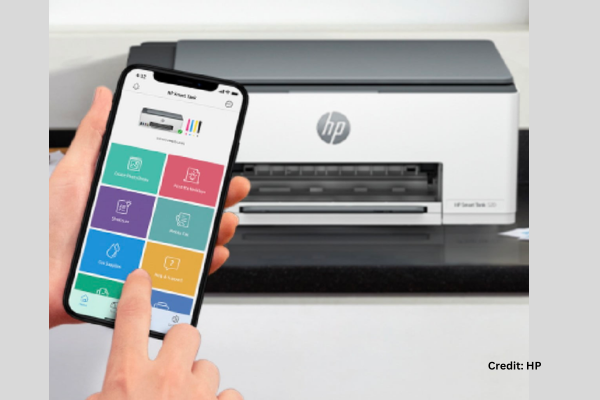
| HP Smart App | Android/iOS | Wireless printing + ink usage tracking |
Maintain Your Printer for Long-Term Efficiency
Regular Maintenance Reduces Waste
- Clean nozzles monthly to prevent clogging
- Use your printer weekly to keep ink flowing
- Update printer drivers for efficient output
Use Genuine Firmware Updates
These may include energy optimization patches or print head alignment fixes.
Summary Table: Eco-Friendly Printing Checklist
| Tip | Action |
|---|---|
| ✅ Buy an Energy Star printer | Lower electricity use |
| ✅ Use recycled paper | Save trees and landfill |
| ✅ Set draft mode as default | Reduce ink consumption |
| ✅ Print double-sided | Cut paper usage by 50% |
| ✅ Recycle cartridges | Minimize toxic waste |
| ✅ Power off when idle | Extend printer life |
| ✅ Only print what’s necessary | Avoid wasteful prints |
Final Thoughts
Sustainable printing is more than a buzzword—it’s a responsible shift toward eco-conscious technology in everyday life. By adopting smarter habits, using eco-certified materials, and choosing the right printer, you not only reduce your environmental footprint but also make printing at home more affordable and efficient.
Whether you’re a student, a work-from-home parent, or someone who enjoys printing photos and projects, these eco-friendly practices will keep your setup green and your conscience clean.