Best Home Printer: Complete 2026 Buying Guide
Selecting the best home printer in 2026 requires balancing print quality, operating costs, and features that match your specific needs. Whether you’re a remote professional printing contracts, a parent handling school assignments, or a photography enthusiast creating prints at home, the right printer can save you time and money while delivering professional results.
Author’s Note: This guide is based on extensive research of verified user reviews, professional testing data from Consumer Reports and RTINGS, and hands-on evaluation of current printer models available in the market.
Understanding Modern Home Printing Technology
Before diving into specific recommendations, it’s essential to understand what makes a printer suitable for home use in 2026.
Key Factors to Evaluate
Print Volume Requirements
Occasional users (10-50 pages monthly) have different needs than frequent printers (200+ pages monthly). Match your printer’s duty cycle to your actual usage to avoid premature wear.
Document vs. Photo Output
Text documents require sharp resolution and fast speeds, while photo printing demands accurate color reproduction and specialized ink systems.
Total Cost of Ownership
The initial purchase price represents only part of your investment. Calculate cost per page by considering ink or toner replacement prices and page yields.
Space and Connectivity
Modern printers offer WiFi, Bluetooth, and mobile printing capabilities. Ensure your chosen model fits your workspace and connects seamlessly with your devices.
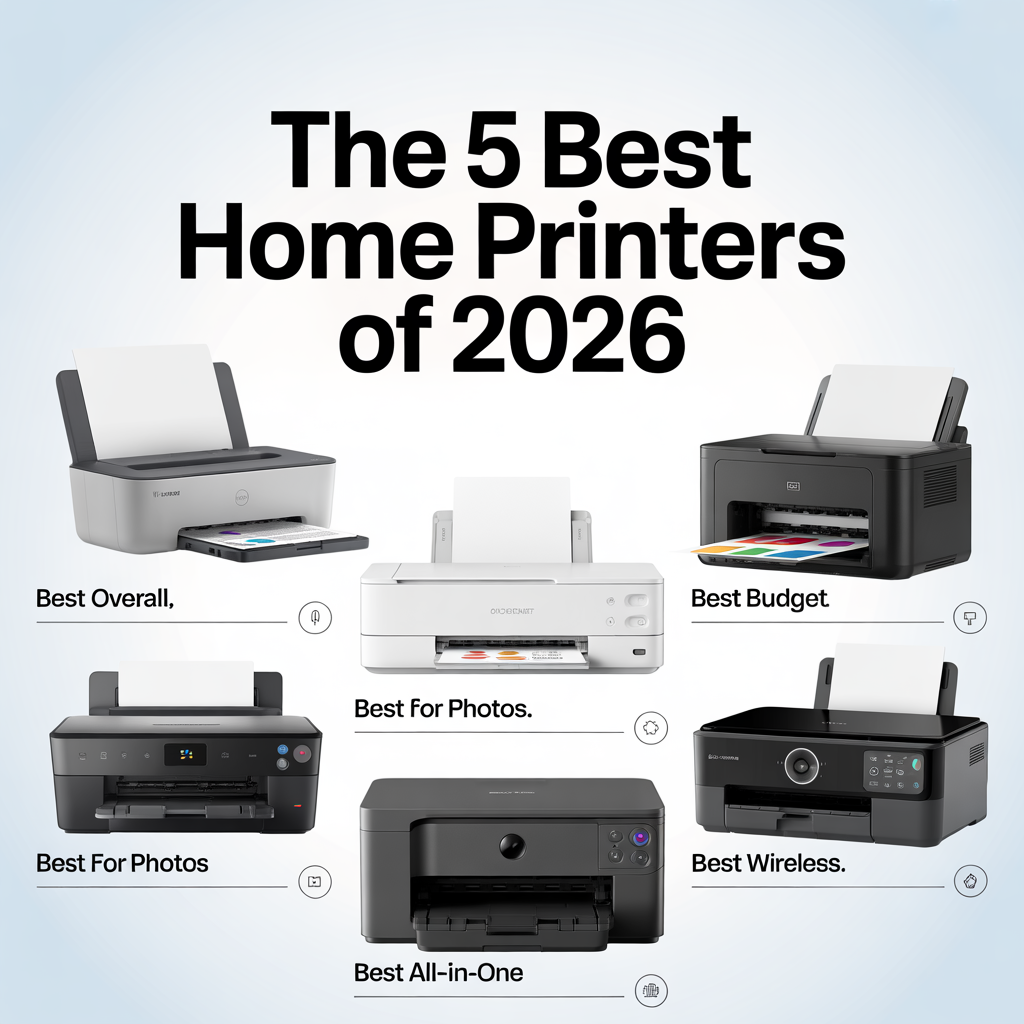
The 5 Best Home Printers of 2026
1. Best Overall Home Printer: Epson EcoTank Photo ET-8500

Why It Leads the Pack
The Epson EcoTank Photo ET-8500 delivers lab-quality photo prints while maintaining remarkably low operating costs through its innovative tank system. This all-in-one printer eliminates the frustration of frequent cartridge replacements.
Key Specifications
- Six-color Claria ET Premium ink system (Photo Black, Cyan, Magenta, Yellow, Gray, Pigment Black)
- Maximum resolution: 5760 x 1440 dpi
- 4.3-inch tilting color touchscreen
- Wireless connectivity: WiFi, Ethernet, and mobile printing
- Automatic duplex printing
- Borderless printing up to 8.5 x 11 inches
- Three paper trays (100-sheet main tray, 20-sheet photo tray, 50-sheet rear feed)
Performance Analysis
The printer produces crisp, vibrant, and accurate photos, with 4×6 prints completed in under one minute at best quality settings. The inclusion of gray ink significantly improves tonal gradations, particularly in black-and-white photographs.
Operating costs are exceptionally low at approximately 4 cents per 4×6 photo, compared to 40 cents with traditional cartridge systems. The included ink bottles provide enough capacity for roughly 2,300 4×6 photos or 6,200 standard document pages.
Considerations
The ET-8500 requires a significant upfront investment (approximately $600-650). Print speeds for documents are moderate, with text pages taking slightly longer than dedicated document printers. However, the long-term savings and versatility justify the initial cost for most users.
Best For: Home offices requiring versatile performance, photography enthusiasts, and users tired of expensive cartridge replacements.
2. Best Photo-Focused Home Printer: Canon PIXMA TR8620
Why Photography Enthusiasts Choose This Model
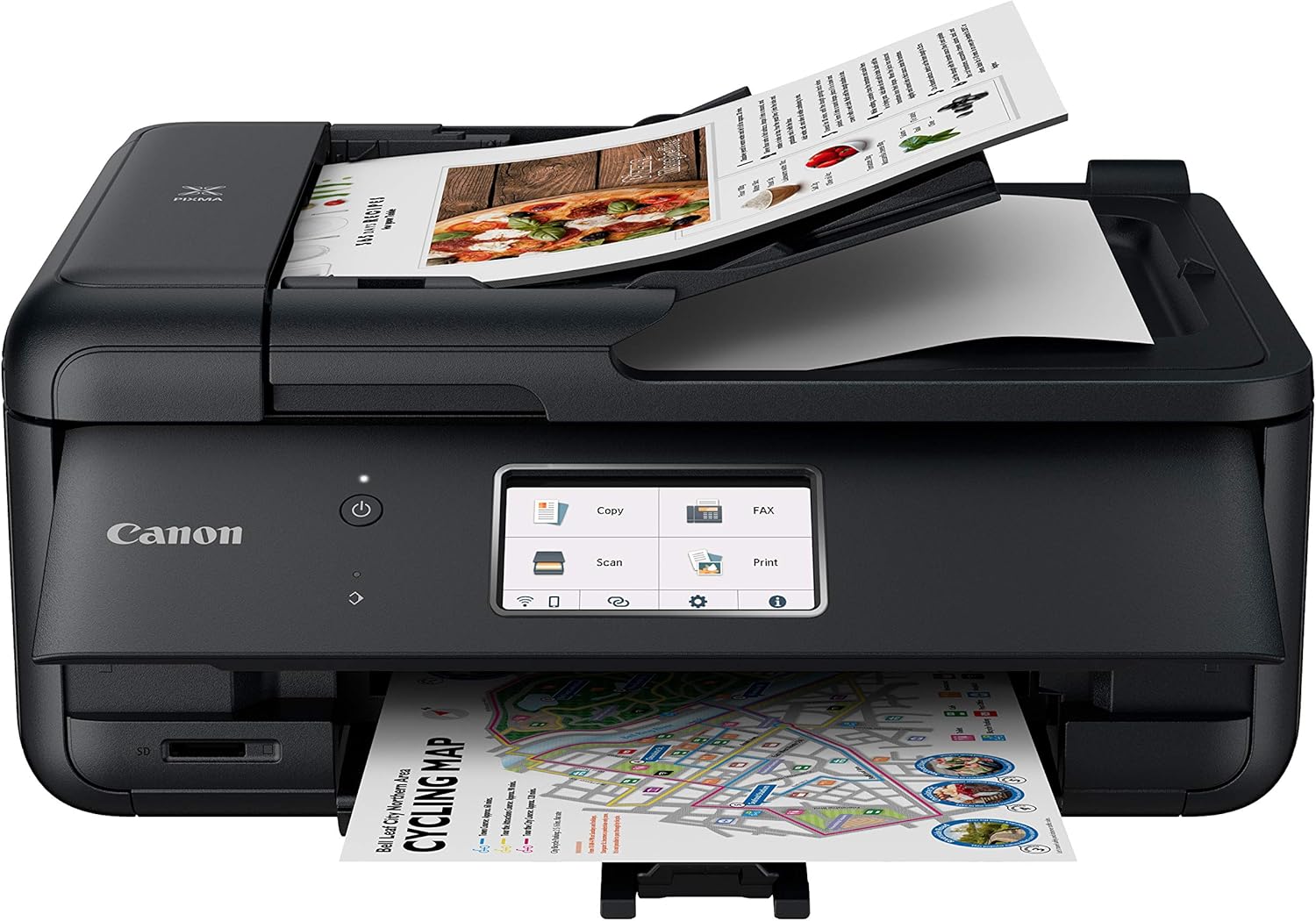
The Canon PIXMA TR8620 specializes in producing professional-quality photographs with exceptional color accuracy and detail reproduction. This printer uses a five-ink cartridge system with two types of black ink, resulting in photos with natural-looking colors, sharp details, and smooth transitions.
Key Specifications
- Five-color individual ink system
- Maximum resolution: 4800 x 1200 dpi
- Large color touchscreen interface
- SD card slot and USB port for direct printing
- Automatic document feeder (20 sheets)
- AirPrint and wireless mobile printing support
- Borderless photo printing in multiple sizes
Performance Analysis
The hybrid ink technology combines dye-based color inks for vibrant photographs with pigment black for sharp text, making this printer suitable for both creative projects and everyday documents. It handles various paper types, including glossy, matte, and fine art papers up to cardstock thickness.
Print speeds for documents average 10-15 pages per minute, while photo prints complete quickly with excellent quality. The scanner function performs well for digitizing photo collections.
Considerations
Ink costs run higher than tank-based systems due to the five separate cartridges. However, individual color replacement prevents wasting partially-filled cartridges.
Best For: Amateur photographers, scrapbookers, families creating photo albums, and design professionals requiring accurate color representation.
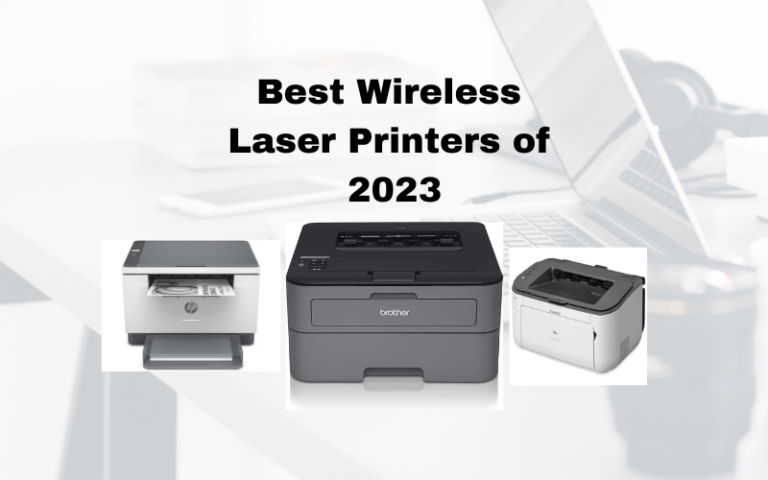
3. Best Document-Focused Laser Printer: Brother HL-L2460DW

Why It Delivers Professional Results
The Brother HL-L2460DW prints up to 36 pages per minute with sharp, consistent black-and-white quality, making it ideal for document-heavy users who rarely need color output.
Key Specifications
- Monochrome laser printing technology
- Maximum resolution: 2400 x 600 dpi
- Print speed: 36 pages per minute
- Automatic duplex printing
- 250-sheet paper capacity
- Wireless, Ethernet, and USB connectivity
- Mobile device printing support
- Energy Star certified
Performance Analysis
Laser technology produces consistently professional text quality suitable for contracts, reports, and presentations. The high monthly duty cycle supports large print volumes without reliability issues. Operating costs remain competitive thanks to high-yield toner cartridges that produce thousands of pages.
The compact design saves desk space while the Energy Star certification ensures efficient power consumption. Setup is straightforward, though the small display requires patience during initial configuration.
Considerations
This is a print-only model without scanning or copying capabilities. Color printing is unavailable, which may limit versatility for some users.
Best For: Remote workers, students with heavy document needs, legal and financial professionals, and budget-conscious users prioritizing text quality and speed.
4. Best Mid-Range All-In-One: Brother MFC-J4335DW

Why It Balances Features and Value
The Brother MFC-J4335DW delivers comprehensive functionality at a reasonable price point. This all-in-one printer comes with an estimated year’s supply of ink in the box using Brother’s INKvestment Tank system, significantly reducing initial operating costs.
Key Specifications
- Complete all-in-one: print, scan, copy, and fax
- INKvestment Tank ink system
- Up to one year of ink included
- 20-sheet automatic document feeder
- 2.7-inch color touchscreen
- Wireless and mobile printing
- Automatic duplex printing
- Multiple paper size support
Performance Analysis
Brother’s INKvestment technology bridges the gap between standard cartridges and full tank systems, providing extended ink life without the higher upfront costs of EcoTank models. Color graphics appear vibrant and well-saturated, while text remains clear and legible.
The scanning function produces high-quality digitized documents at 600 x 2400 dpi. The automatic document feeder handles multi-page scanning efficiently, though the 20-sheet capacity is modest compared to business-focused models.
Considerations
While more economical than cartridge printers, operating costs exceed pure tank systems like the Epson EcoTank. Print speeds are average rather than exceptional.
Best For: Growing families with diverse printing needs, small home offices requiring occasional scanning and faxing, budget-conscious users seeking all-in-one convenience, and those wanting reliability without premium pricing.
5. Best Budget Monochrome Printer: Canon imageCLASS LBP6230dw

Why It Maximizes Value
When budget constraints meet quality requirements, the Canon imageCLASS LBP6230dw demonstrates that affordable printers can deliver professional results. This laser printer focuses exclusively on producing crisp black-and-white documents at minimal cost.
Key Specifications
- Monochrome laser printing
- Print speed: 26 pages per minute
- Maximum resolution: 2400 x 600 dpi
- Automatic duplex printing
- 250-sheet paper capacity
- Wireless and Ethernet connectivity
- Mobile device printing support
- Energy-efficient operation
Performance Analysis
Despite the budget-friendly price, this printer produces text quality rivaling more expensive models. The laser technology ensures consistent output on every page, and impressive speeds minimize waiting time for documents.
High-yield toner options dramatically reduce the already-low cost per page, making this printer extremely economical for document-heavy users. The compact footprint fits easily into small spaces without sacrificing paper capacity.
Considerations
Color printing is impossible with this monochrome model. No scanning or copying functions are included, limiting versatility compared to all-in-one units.
Best For: Students on tight budgets, home users rarely requiring color output, secondary printers for dedicated document printing, and value-seekers with minimal investment capacity.
Inkjet vs. Laser: Understanding Printing Technologies
Inkjet Printer Advantages
Superior Color Reproduction: Inkjet printers excel at producing accurate colors and smooth gradients by spraying microscopic droplets of liquid ink onto paper. This makes them ideal for photographs and color graphics.
Media Versatility: These printers handle various paper types, from standard copy paper to thick photo paper, glossy sheets, and even specialty materials like fabric transfers.
Lower Initial Costs: Entry-level inkjet printers typically cost less than comparable laser models, making them accessible to budget-conscious buyers.
Compact Designs: Many inkjet models feature smaller footprints than laser printers, fitting comfortably in home offices with limited space.
Best Uses: Photo printing, color graphics, low-to-moderate document volumes, and varied media types.
Laser Printer Advantages
Exceptional Text Quality: Laser printers use electrostatically charged toner powder fused to paper with heat, producing extremely sharp text with crisp edges ideal for professional documents.
Superior Speed: Laser technology prints documents significantly faster than inkjet equivalents, particularly for large batches of text-based pages.
Lower Cost Per Page: For black-and-white printing, laser printers offer substantially lower per-page costs, especially with high-yield toner cartridges.
Minimal Maintenance: Without liquid ink to dry out, laser printers require less frequent maintenance and can sit idle for extended periods without issues.
Best Uses: High-volume document printing, professional correspondence, contracts and reports, and primarily text-based output.
Essential Features for Modern Home Printers
Wireless Connectivity and Mobile Printing
Modern home printers should offer wireless connectivity as standard. WiFi enables printing from anywhere in your home, while mobile printing applications let you print directly from smartphones and tablets without transferring files to a computer.
Look for compatibility with Apple AirPrint, Google Cloud Print alternatives, and manufacturer-specific mobile apps. These features provide flexibility for multi-device households and support various workflows.
Calculating Total Cost of Ownership
The sticker price represents only part of your printer investment. To calculate true ownership costs:
- Determine ink/toner replacement costs and page yields
- Calculate cost per page (replacement price ÷ page yield)
- Multiply by your estimated monthly volume
- Add to annual equipment amortization
Tank-based systems like EcoTank models have the highest initial costs but lowest operating expenses for high-volume users. Budget laser printers may seem economical initially but can become expensive with low-yield toner cartridges.
Print Quality and Resolution
Resolution, measured in dots per inch (DPI), indicates detail potential but doesn’t solely determine output quality. Ink formulation, paper type, and printing technology all affect final results.
For standard documents, 600 DPI suffices. High-quality photo printing requires 4800 DPI or higher, combined with appropriate paper and color-managed workflows.
Paper Handling Capabilities
Consider these paper handling features:
Input Capacity: Higher-capacity trays (250+ sheets) reduce refill frequency for busy households.
Multiple Trays: Separate trays for photo paper and standard documents eliminate constant paper swapping.
Rear Feed Slot: Enables printing on heavy materials like cardstock without paper path issues.
Automatic Duplex Printing: Saves paper and creates professional double-sided documents without manual intervention.
Maximizing Your Printer’s Lifespan
Regular Maintenance Practices
Run cleaning cycles when you notice streaky output or color inconsistencies. Most printers include automated cleaning functions accessible through menus or software.
Use your printer regularly to prevent ink from drying in nozzles. Even printing a test page weekly helps maintain inkjet printers.
Keep firmware updated to ensure optimal performance, bug fixes, and security patches. Enable automatic updates when available.
Clean exterior surfaces and paper paths periodically to prevent dust accumulation that can affect print quality.
Paper Selection Matters
Use appropriate paper quality for your output needs:
Standard Copy Paper: Works fine for everyday documents and internal communications. Choose 20-24 lb weight for most purposes.
Photo Paper: Invest in quality glossy or matte photo paper for important images. Cheap photo paper often produces disappointing results.
Specialty Media: Use manufacturer-recommended papers for optimal color reproduction and longevity when printing critical projects.
Optimizing Print Settings
Adjust print quality based on specific needs:
Draft Mode: Saves ink for internal documents, proofs, and temporary prints. Quality is adequate for review purposes.
Standard Mode: Balances quality and efficiency for most everyday printing tasks.
High Quality Mode: Reserve for presentations, important documents, and photographs where quality is paramount.
Enable Duplex Printing by Default: Conserve paper and reduce costs by making two-sided printing your standard setting.
FAQs
1. What is the best home printer for everyday use?
The best home printer for everyday use depends on your primary output type. For users needing both documents and photos, the Epson EcoTank Photo ET-8500 offers the best versatility with low operating costs. If you primarily print text documents, the Brother HL-L2460DW provides faster speeds and lower costs per page specifically for black-and-white output.
2. Are tank printers better than cartridge printers?
Tank printers offer significantly lower operating costs for high-volume users, typically 4-10 cents per page compared to 20-40 cents with cartridges. However, tank printers require higher upfront investment ($400-700 vs. $100-300). If you print more than 100 pages monthly, tank systems usually save money within 12-18 months.
3. How much does it cost to print photos at home?
Photo printing costs vary dramatically by printer type. Tank-based photo printers like the Epson EcoTank ET-8500 cost approximately 4 cents per 4×6 photo. Traditional cartridge printers average 25-40 cents per photo. Laser printers are unsuitable for quality photo printing. Professional photo paper adds approximately 10-25 cents per print depending on quality.
4. Should I buy an inkjet or laser printer for home use?
Choose inkjet printers if you need color photos, print occasionally (under 100 pages monthly), or work with varied media types. Select laser printers for primarily text documents, high-volume printing (200+ pages monthly), or when you prioritize speed and per-page cost efficiency. Many homes benefit from a low-cost laser for documents plus affordable photo printing at retail locations.
5. How can I reduce printer ink costs?
To minimize ink expenses: (1) Choose tank-based printers for high-volume printing, (2) Purchase high-yield cartridges that cost more initially but less per page, (3) Print in draft mode when quality isn’t critical, (4) Use grayscale printing instead of color for documents, (5) Avoid subscription services unless you consistently use their minimum page allotments, (6) Print regularly to prevent ink drying and wasting.
6. What does DPI mean and what resolution do I need?
DPI (dots per inch) measures print resolution. Higher DPI produces finer detail but uses more ink and prints slower. For text documents, 600 DPI is sufficient. For quality photos, choose 2400-4800 DPI. Most printers automatically adjust DPI based on selected print quality settings, so manual adjustment is rarely necessary for typical home use.
7. Can I use third-party ink or toner cartridges?
Third-party cartridges typically cost 30-60% less than manufacturer options. However, they may void your warranty, produce inconsistent quality, or damage print heads in rare cases. Tank-based printers largely eliminate this concern by using refillable bottles. If using third-party supplies, purchase from reputable suppliers with customer reviews and return policies.
8. How long do printer ink cartridges last?
Cartridge life depends on page yield (pages printed per cartridge) and your usage. Standard cartridges yield 200-400 pages, while high-yield versions produce 600-1,200 pages. With average home use (30-50 pages monthly), standard cartridges last 4-8 months. Tank systems last significantly longer, often 1-2 years between refills for typical households.
9. What is the most reliable printer brand?
According to consumer satisfaction surveys and reliability studies, Brother consistently ranks highest for reliability and owner satisfaction. Epson receives strong marks for photo quality and tank system value. Canon balances quality and features well. HP printers work well but often push expensive subscription services. Choose based on your specific needs rather than brand alone.
10. Do I need a printer with scanning and copying features?
All-in-one printers with scanning and copying typically cost only $20-50 more than print-only models, making them worthwhile for most users. Even if you scan infrequently, having the capability proves valuable for digitizing important documents, copying tax forms, or handling occasional paperwork. If you never scan or copy, print-only models offer marginally lower costs and smaller footprints.
Final Recommendations: Choosing Your Best Home Printer
Selecting the best home printer for 2026 ultimately depends on matching features to your specific requirements and budget.
The Epson EcoTank Photo ET-8500 justifies its premium pricing through exceptional ink efficiency and outstanding quality, delivering versatile all-around performance with exceptional photo capabilities for serious home users.
Photography enthusiasts will appreciate the Canon PIXMA TR8620’s ability to produce lab-quality prints at home without the ongoing expense of professional printing services.
Professional document printing demands the Canon imageCLASS LBP6230dw laser printer’s speed and sharp text output, making it ideal for home offices and remote workers.
The Brother MFC-J4335DW’s balanced feature set and moderate cost of operation suit budget-conscious households needing occasional color printing, scanning, and copying capabilities.
The Brother HL-L2460DW offers unmatched value for predominantly text printing needs, combining exceptional speed with remarkably low operating costs.
Each printer recommended in this guide represents the best choice in its category, ensuring reliable performance and value for home use throughout 2026 and beyond.